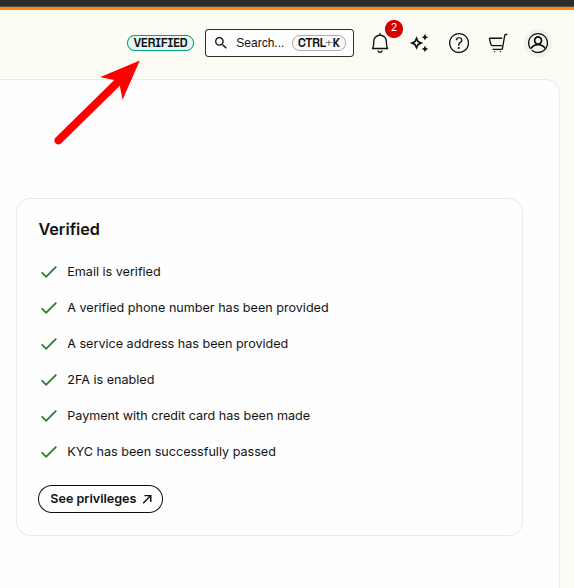
This article explains how to get verified so that you can unlock all features of the Telnyx Mission Control… See Telnyx guidance and requirements.
Telnyx uses a tiered account verification system to prevent abuse and ensure responsible use of communication services. There are now two possible frameworks your account may fall under:
- The Level 1 / Level 2 framework (Legacy)
- The Trial-Paid-Verified-Enterprise (TPVE) framework
Legacy Framework: Level 1 & Level 2 Verification
You are using the legacy framework if you see the “Verifications” tab in your account settings.
Level 1 Capabilities
Most users are automatically Level 1 verified after confirming their email. Level 1 allows you to:
- Buy a local number in your home country
- Assign a connection or messaging profile to a number
- Set up messaging and voice capabilities (US only)
- Create a multi-user organization
- Outbound messages will be limited to 50 per day at this level.
Level 2 Capabilities
Level 2 removes many restrictions and unlocks advanced features:
-
Buy international numbers
-
Enable international calling and call forwarding
-
Increase message send rates
- Account-wide: from 600 to 3000
- Toll-free: from 6 to 1200
-
Use alphanumeric sender ID for international messaging
-
Submit orders for hosted SMS and 10DLC
-
Order SIM cards internationally or with a freemail address
-
Removes:
How to Apply for Level 2
Pre-requisites:
- Account is Level 1 verified
- Contact number + company name added under Account Settings > Profile
- A payment method is on file
Steps:
-
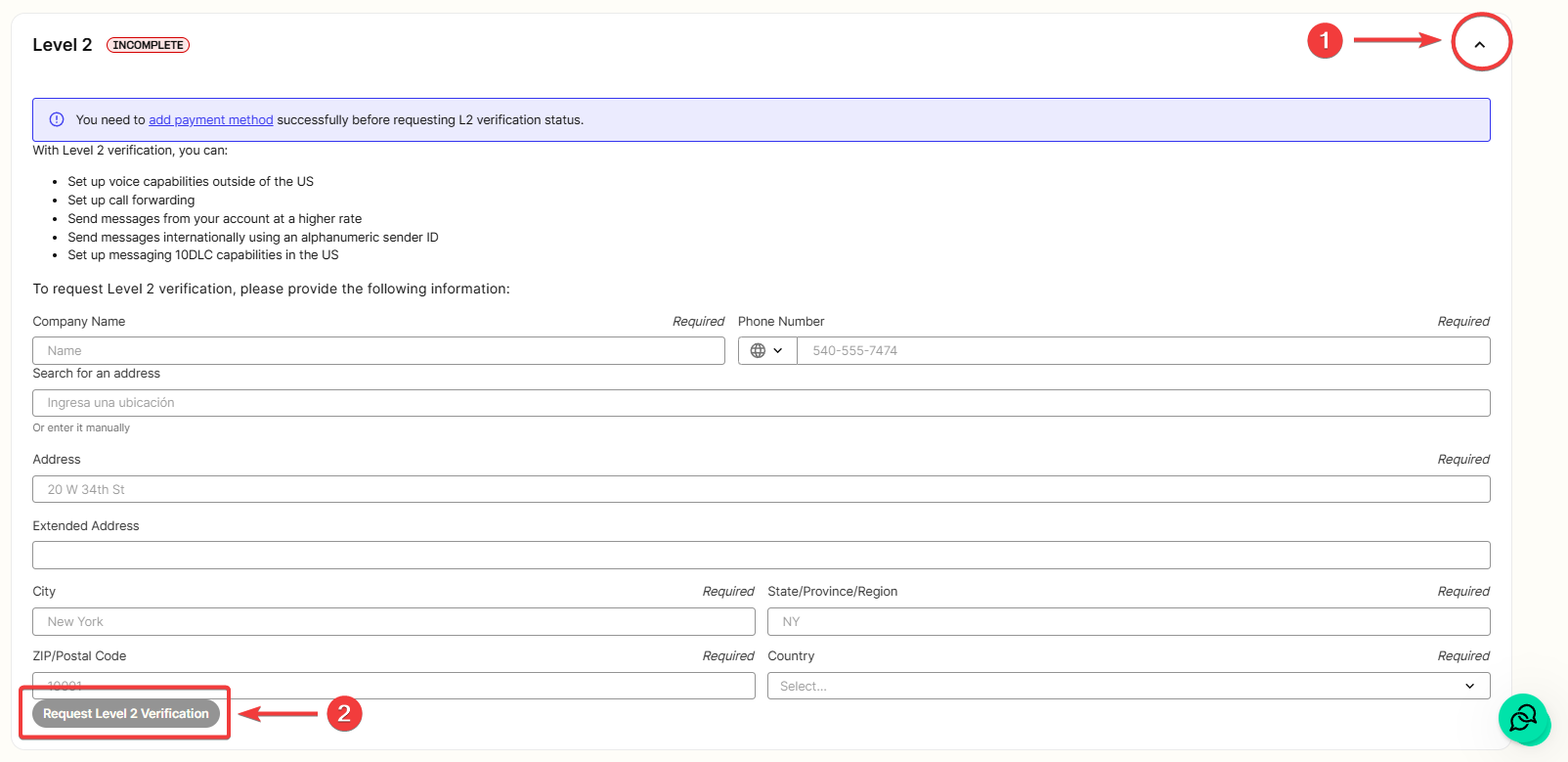
Expand the “Level 2” section
-
Fill out the form and click Request Level 2 Verification
- A Telnyx team member may reach out to clarify use case or verify details.
- It may take up to 48 hours for approval or rejection.
- Only organization owners can access this section.
- If verification was unsuccessful, please review this article for next steps.
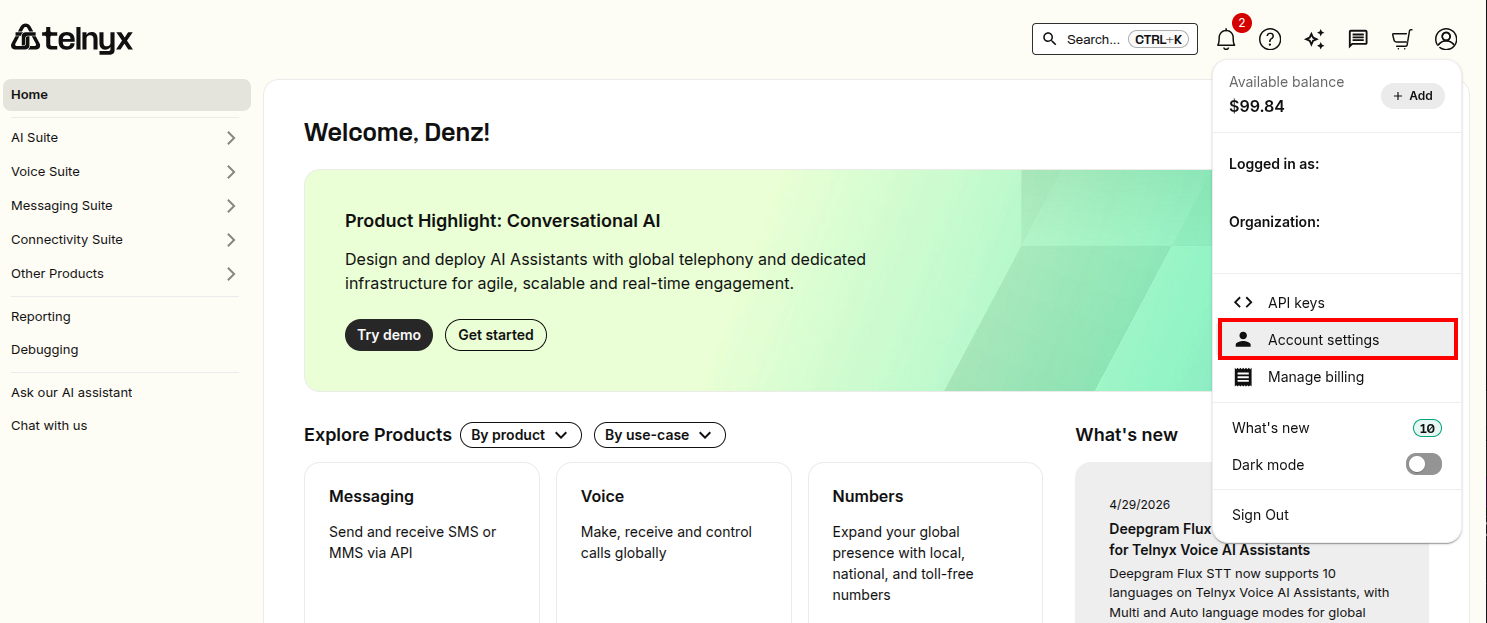
The Account/Verifications section is located under "Account Settings". In the top right corner, click on your profile icon. Then in the dropdown menu, click "Account Settings"
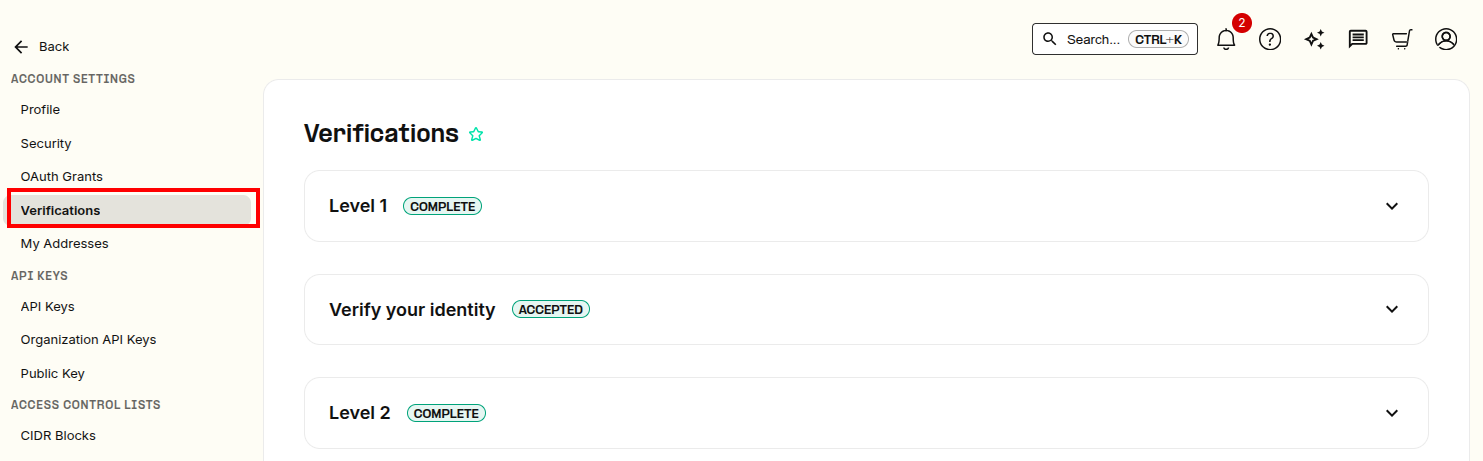
You will be brought to a new page in the portal. On the left navigation bar, click on Account Settings > Verifications.
Then follow the instructions from there! Most users will already be Level 1 verified when they've confirmed their email address on signup.
TPVE Framework
New signups from June 2025 onward may be presented with a revised account levels section in place of traditional legacy verification system.
You are using the TPVE framework if you see the “Account Levels” page instead of a Verification's tab. Access it here: https://portal.telnyx.com/#/account/account-levels and the direct link to upgrade: https://portal.telnyx.com/#/account/account-levels/upgrade
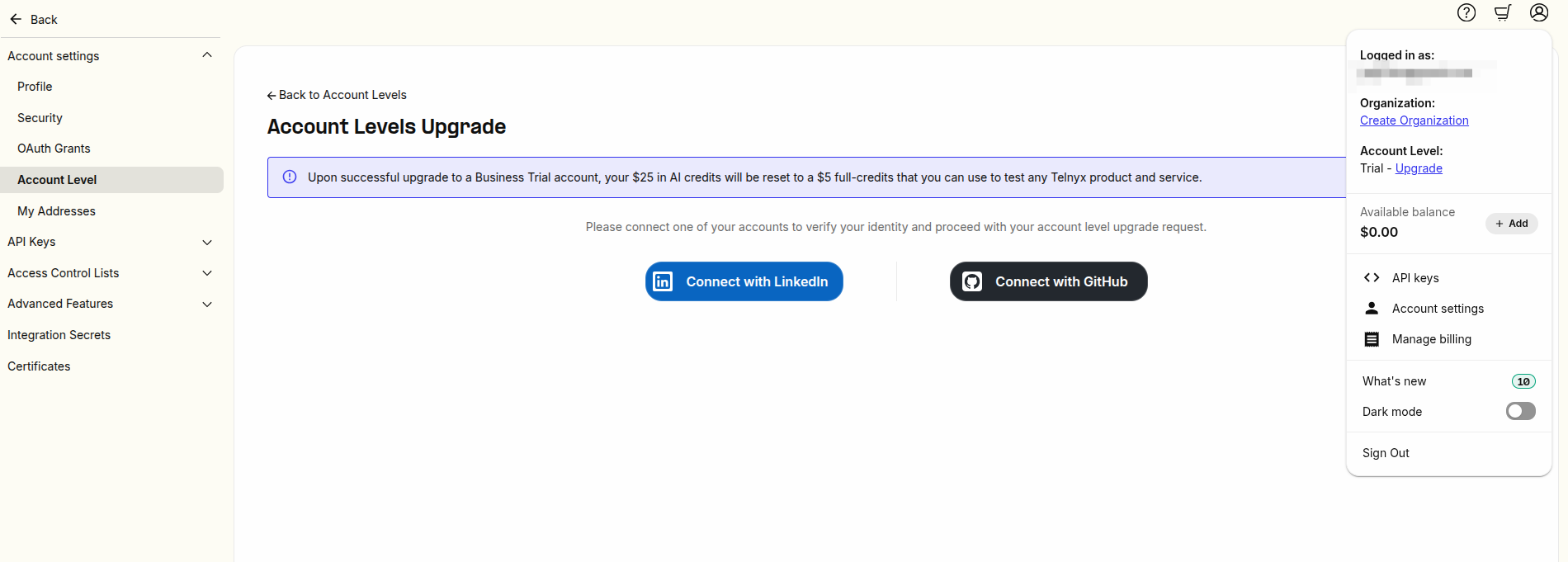
This framework categorizes accounts into:
-
Trial – Default for new signups
-
Paid – Once a payment method is added
-
Verified – After business verification
-
Enterprise – For high-volume customers
- Discuss with our sales team here.
For full capabilities of each level, refer to the docs:
Key TPVE Characteristics
- Account level is shared across the organization
- Privileges (e.g., API access, message limits) are defined by level
- The interface clearly shows your current level and upgrade options