You can check your MDR (message detail record) for every message sent or received. See Telnyx guidance and requirements.
What is an MDR?
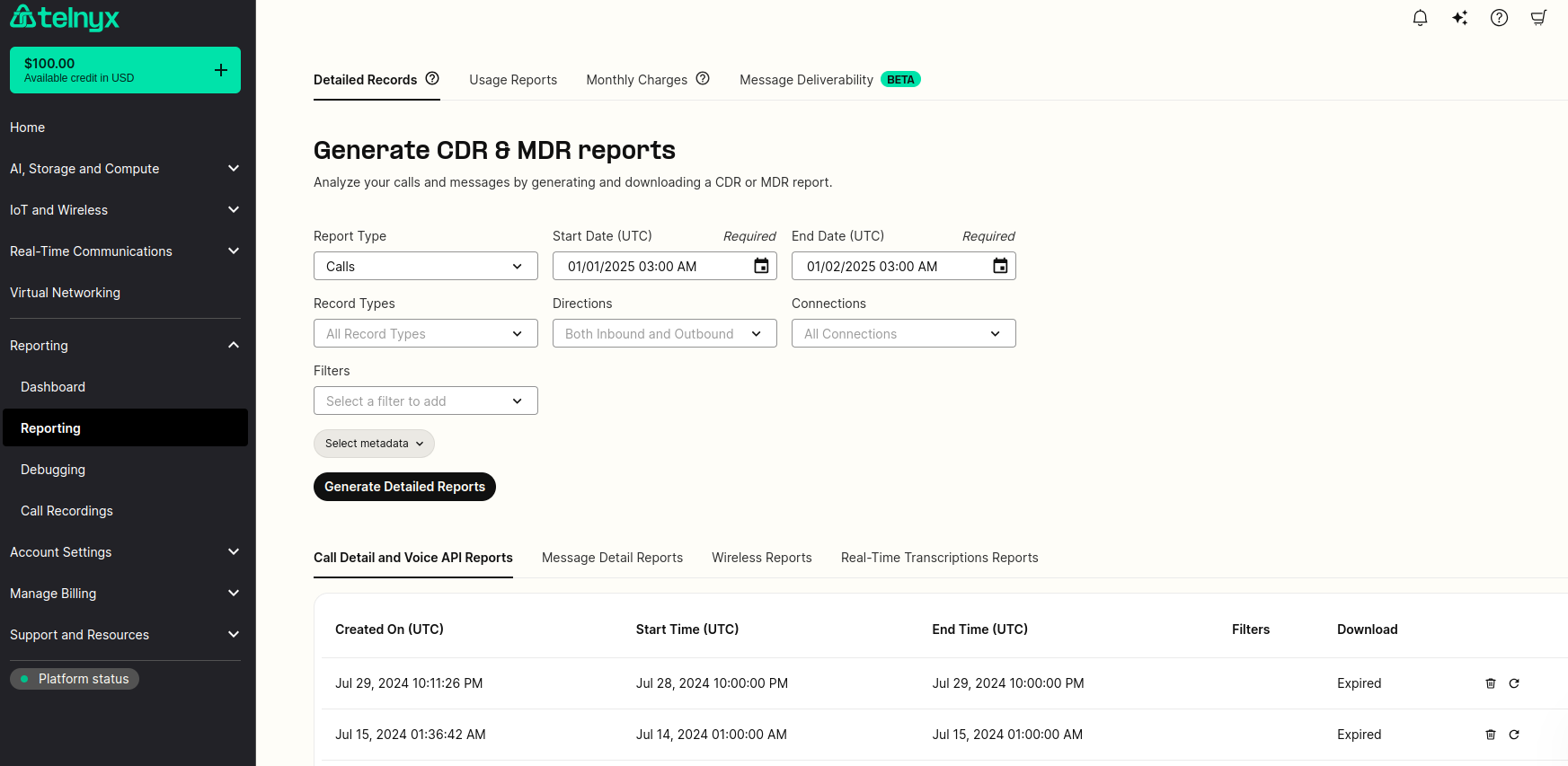
For every sent or received message, an MDR (message detail record) will be written. You can access and generate these report logs under Reports (left hand side navigation bar) -> Reporting in your Mission Control Portal Account as seen below.
What are the different fields of information available?
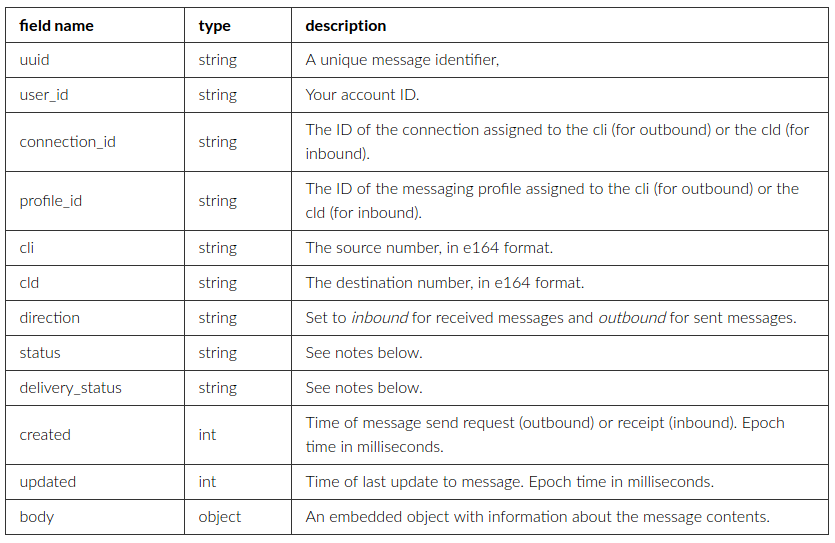
MDRs are stored as JSON objects. These are the most important fields contained in each MDR:
The embedded body object contains the following fields:
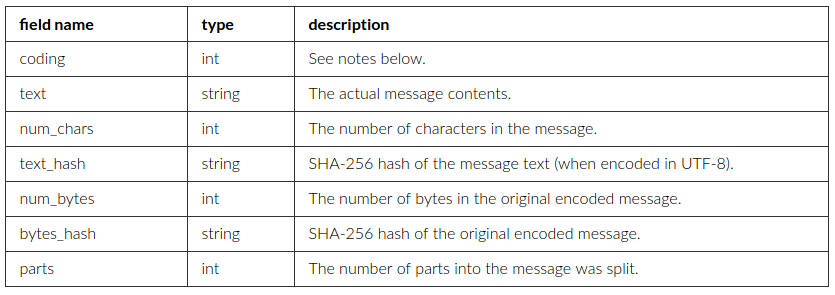
For privacy reasons, a message’s body text is only stored for up to 10 days before it is wiped from our system. At that point, the hash fields can be used to identify messages.
Status
For sent messages, the possible status values are:
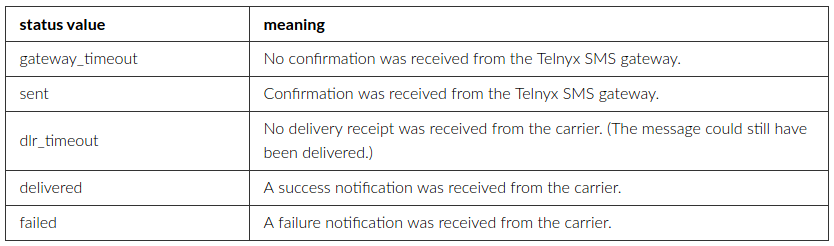
For received messages, the possible status values are:

The delivery_status field is used to give further details about the delivery confirmation (outbound) or delivery attempt (inbound).
Message coding
The coding field is an integer representing the message’s encoding. It will typically have one of the following values:

When you send messages, the encoding is determined on the basis of the characters in the message body. If possible, GSM 7-bit is used; otherwise, UTF-16 is used.
Message parts
Long messages must be divided into parts for transmission. The size of each part depends on the encoding.

For outbound messages, there is a maximum message size of 10 parts.
Don't forget that billing takes place on the number of message parts.
rate = price per message + carrier fee for one part.
cost = rate * message parts.
Billing and Rate Limiting are applied based on the number of parts per message.