Learn how to register E911 addresses in the Account section of Telnyx Mission Control. See Telnyx guidance and requirements.
Steps for registering E911 addresses for emergency calling
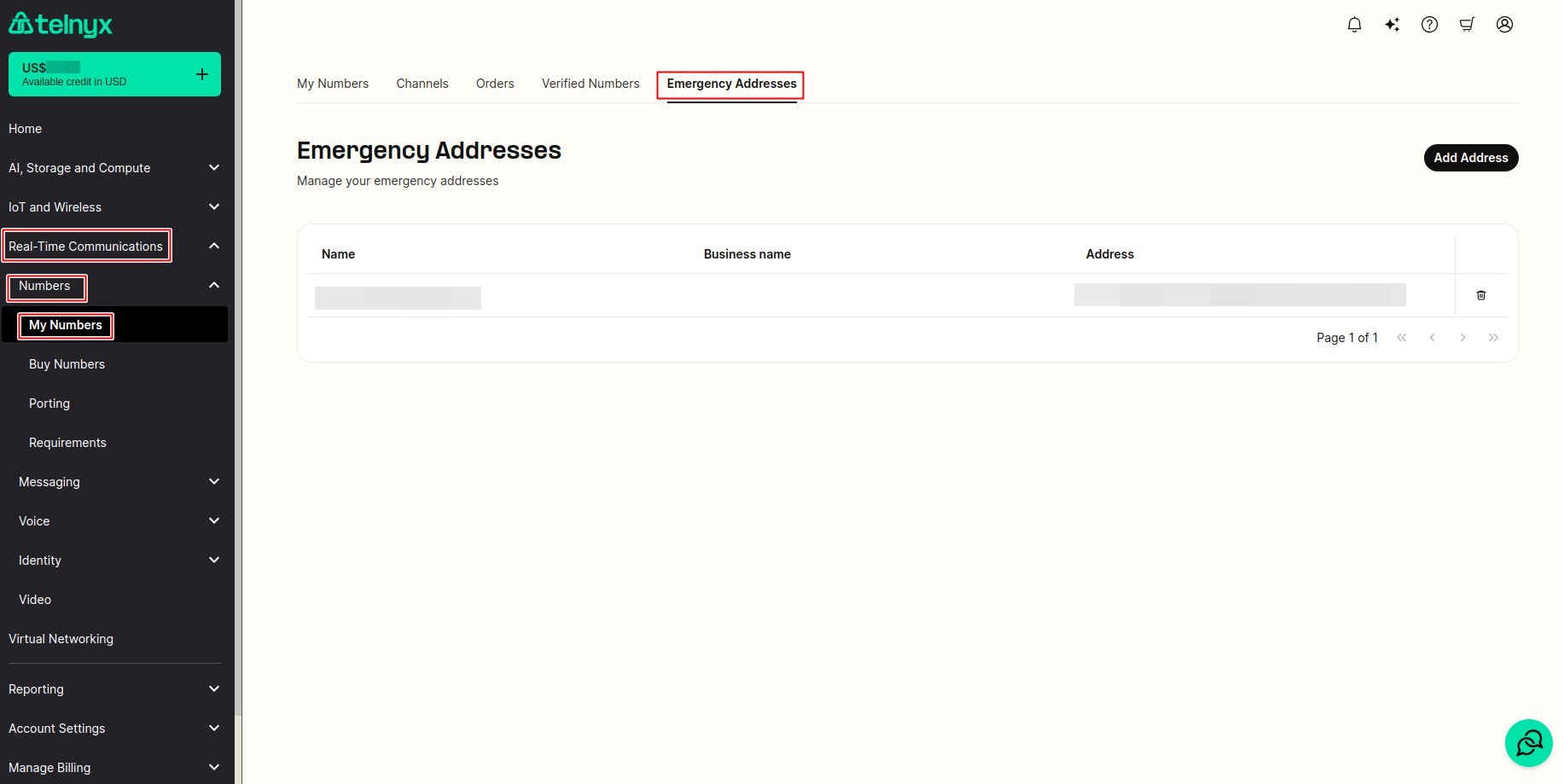
-
Under Real-Time Communications on the left side bar, click on My Numbers tab under Numbers section.
-
Then click on the Emergency Address sub tab on the new page.
-
Click Add Address on the right hand side.
-
A form will pop up where you can fill out.
- First Name
- Last Name
- Or Business Name
-
You can auto search for the address by typing the location using the auto complete "search for an address" field.
-
Otherwise, you can manually set:
- Country
- State/Province/Region
- City
- ZIP / Postal Code
- Street Address
- Extended Address
-
NOTE: Failure to register an address and enable emergency services with the address on numbers that make emergency calls, will be considered unregistered, and will incur a penalty of $100.